
Block Blast 3D
Puzzle

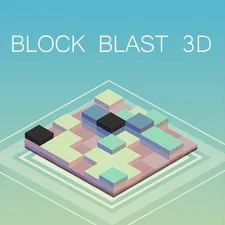
Block Blast 3D






















| Rating | 4.2 / 5 (editorial) |
| Played | 200 times (est.) |
| Developer | AZ Games |
| Released | 2025-01-01 |
| Platform | Desktop, Mobile, Tablet |
| Technology | HTML5 |
| Category | Puzzle Games |
What Makes This Different
This is not your standard flat block puzzle. The entire board exists in 3D space, and you can rotate it to see the grid from every angle. Blocks need to fill complete rows or columns on all visible faces, which means you are managing lines across multiple surfaces at once.
The added dimension changes everything about how you think about placement. A row that looks complete from the front might have a gap on the side you cannot see without rotating.
Controls
- Click and Drag — Rotate the 3D board to view it from any angle
- Drag and Drop — Place blocks from your selection onto the grid
- Scroll — Zoom in and out for precision placement
Three blocks appear each round. You must place all three before receiving new ones. Plan ahead instead of placing the first block you see.
Core Strategy
Rotate Constantly
This cannot be overstated. Players who lock into one viewing angle consistently miss gaps and make poor placement decisions. After every block you place, rotate the board to check all faces before deciding where the next one goes.
A 360-degree awareness is your most important skill. Get in the habit of spinning the board between every single placement.
Start from Corners and Edges
Begin filling from the corners and edges of each face. This gives you maximum control over which lines complete and when. Filling the center first leaves awkward gaps around the perimeter that become harder to clear as the game progresses.
Plan for All Three Blocks
Since you receive three blocks per round, look at all of them before placing any. Identify the most restrictive piece and place it first, then use the more flexible pieces to fill the remaining spaces. This prevents situations where you have nowhere to put an awkward shape.
Clearing Lines
A complete row or column clears automatically and awards points. Clearing multiple lines simultaneously earns bonus points with a multiplier.
- Single line clear: Base points
- Double line clear: Base points multiplied
- Triple or more: Massive score bonus
Setting up multi-line clears requires patience. Instead of completing a line the moment you can, wait and build toward clearing two or three lines at once. The scoring reward is worth the risk.
Avoiding Common Mistakes
- Leaving single gaps. One empty cell in an otherwise complete row locks the entire line. Check your corners.
- Placing without looking. Always rotate before placing. The most costly mistakes come from blocks placed on faces you were not examining.
- Ignoring future pieces. Look at all three blocks in your tray before committing to any placement. A bad early placement limits your options for the remaining pieces.
Frequently Asked Questions
How do I rotate the board? Click and drag anywhere on the board to spin it. This lets you view the grid from any angle, which is essential for finding gaps and planning placements on all faces.
What happens when I clear a line? Completed rows and columns disappear automatically, awarding points. Clearing multiple lines at the same time earns bonus multipliers for a higher score.
Is there a time limit for placing blocks? There is no time pressure. Take your time to rotate the board, examine all faces, and plan your placements carefully. Rushing leads to mistakes that end your game prematurely.

Discuss Block Blast 3D
0 commentsLoading comments...