
Polygon Flight Simulator
Airplane

Polygon Flight Simulator
























| Rating | 4.6 / 5 (editorial) |
| Played | 760 times (est.) |
| Developer | GameMonetize |
| Released | 2026-09-12 |
| Platform | Desktop, Mobile, Tablet |
| Technology | HTML5 |
| Category | Airplane Games |
Polygon Flight Simulator — Learn to Fly Like a Pro
Press W, drag the mouse, and watch your plane ascend. Polygon Flight Simulator is a clean, low-poly flight sim that trades cockpit-panel overload for pure, joyful flying — navigate from one airport to another, hit every checkpoint, and land like a professional. Free in your browser.
What this page covers:
What is Polygon Flight Simulator?
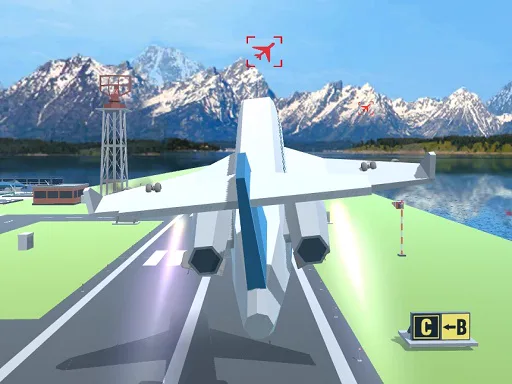
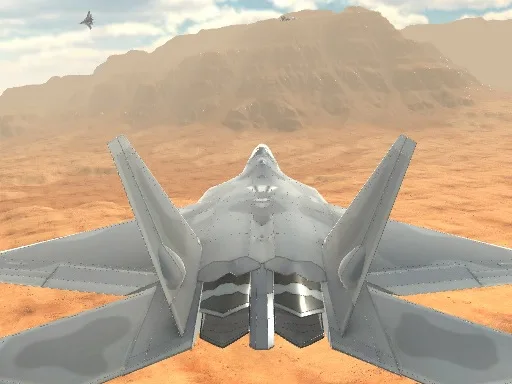
Polygon Flight Simulator is a free online airplane simulator built around one idea: flying should feel good before it feels complicated. You smoothly navigate from one airport to another through a stylized low-poly world, threading airborne checkpoints along the route.
The controls are famously straightforward — press W for thrust, drag the mouse to steer, and feel the plane respond. That simplicity is deceptive. Between takeoff and touchdown sit altitude management, checkpoint lines flown cleanly, and the hardest skill in all of flight: landing smoothly instead of arriving dramatically.
Whether you want a five-minute hop between airports or a full sightseeing circuit, it delivers an immersive flying experience with zero setup: no download, no install, just open the page and fly.
Polygon Flight Simulator Game Overview
| Detail | What it covers |
|---|---|
| Genre | Flight simulator |
| Core mechanics | Takeoff, navigation, checkpoint flying, landing |
| Objective | Fly routes between airports and land safely |
| Platform | Web browser |
| Price | Free to play online |
| Technology | HTML5, 3D low-poly graphics |
| Supported devices | Desktop, mobile, tablet |
| Visual style | Clean, colorful low-poly skies and terrain |
In short: an easy-to-learn browser flight sim that still respects your intelligence.
How to Fly in Polygon Flight Simulator
Every flight begins the same way: W for engine power, hold it, and rotate into the sky. Once airborne, the mouse steers — drag gently for smooth turns, firmly for quick corrections. Smoothness is the entire secret of the game; a plane flown with small, calm inputs goes exactly where you point it.
Climb to a comfortable cruising altitude before worrying about precision. Checkpoints are much easier to hit from above, where you can see the line of the route and adjust early. Save the low-altitude drama for the final approach.
Your First Landing
Landings reward preparation. Line up with the runway while you still have distance to spare, cut power early, and let the plane sink gradually rather than diving at the tarmac. Touch down level and slow — the difference between a smooth landing and a bounce is usually patience on final.
Checkpoints and Landings
- Fly through checkpoints from slightly above — visibility beats precision diving.
- Start lining up with the destination airport minutes early.
- Reduce power before you think you need to; altitude is your friend.
- Small mouse drags beat big ones in every phase of flight.
Frequently Asked Questions
Is Polygon Flight Simulator free?
Yes. It is completely free to play in your browser, no download or sign-up required.
Is it realistic?
It is a simplified simulator: real flight concepts like thrust, pitch, and approach are all there, but the controls are deliberately easy so anyone can enjoy flying.
Does it work on mobile?
Yes. The game runs on desktop, mobile, and tablet browsers.
What should I fly next?
Try Fighter Aircraft Simulator for air combat, or Rescue Plan - Flight Control to experience the controller's side of the airport — all free on this site.
You May Also Like
Discuss Polygon Flight Simulator
0 commentsLoading comments...